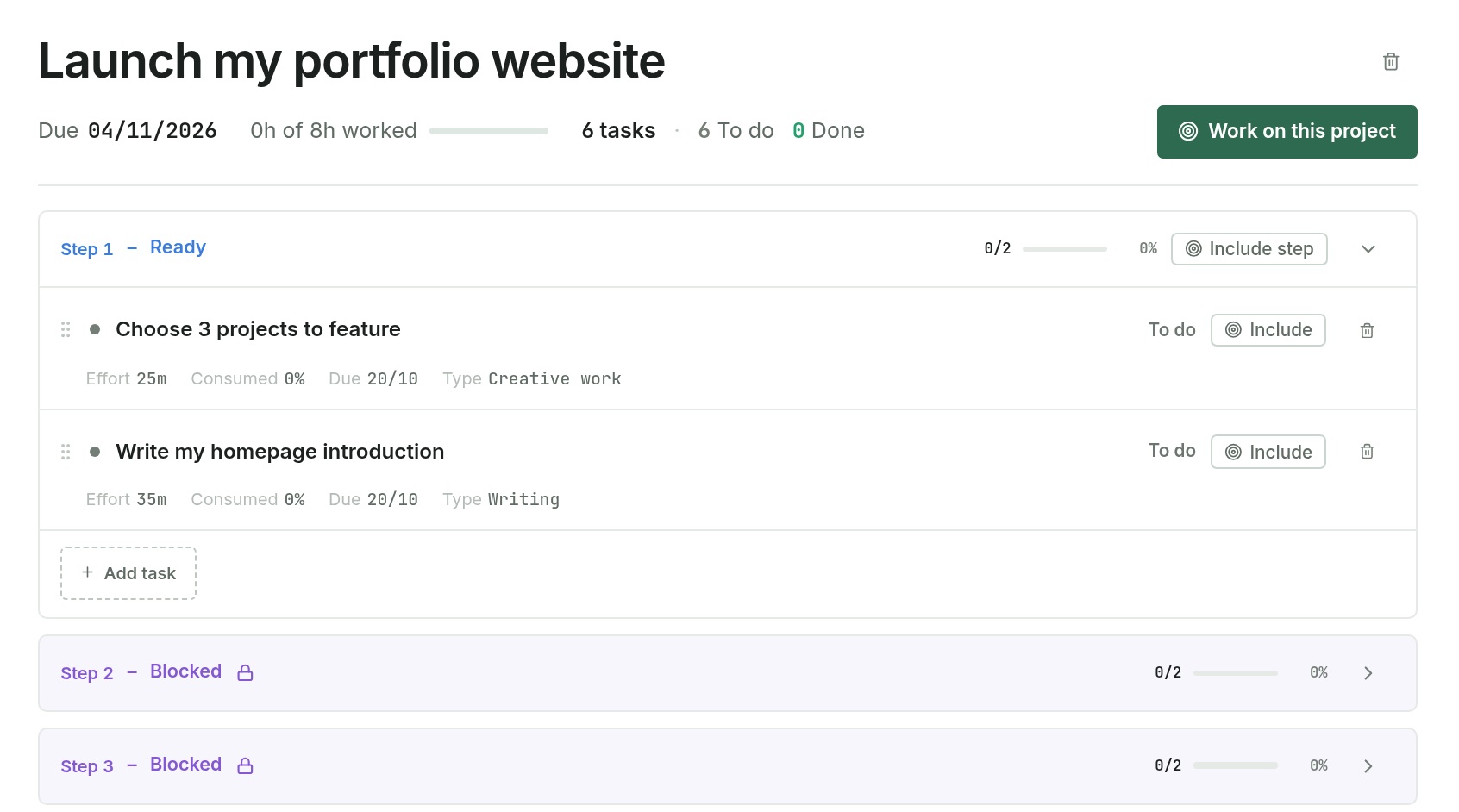
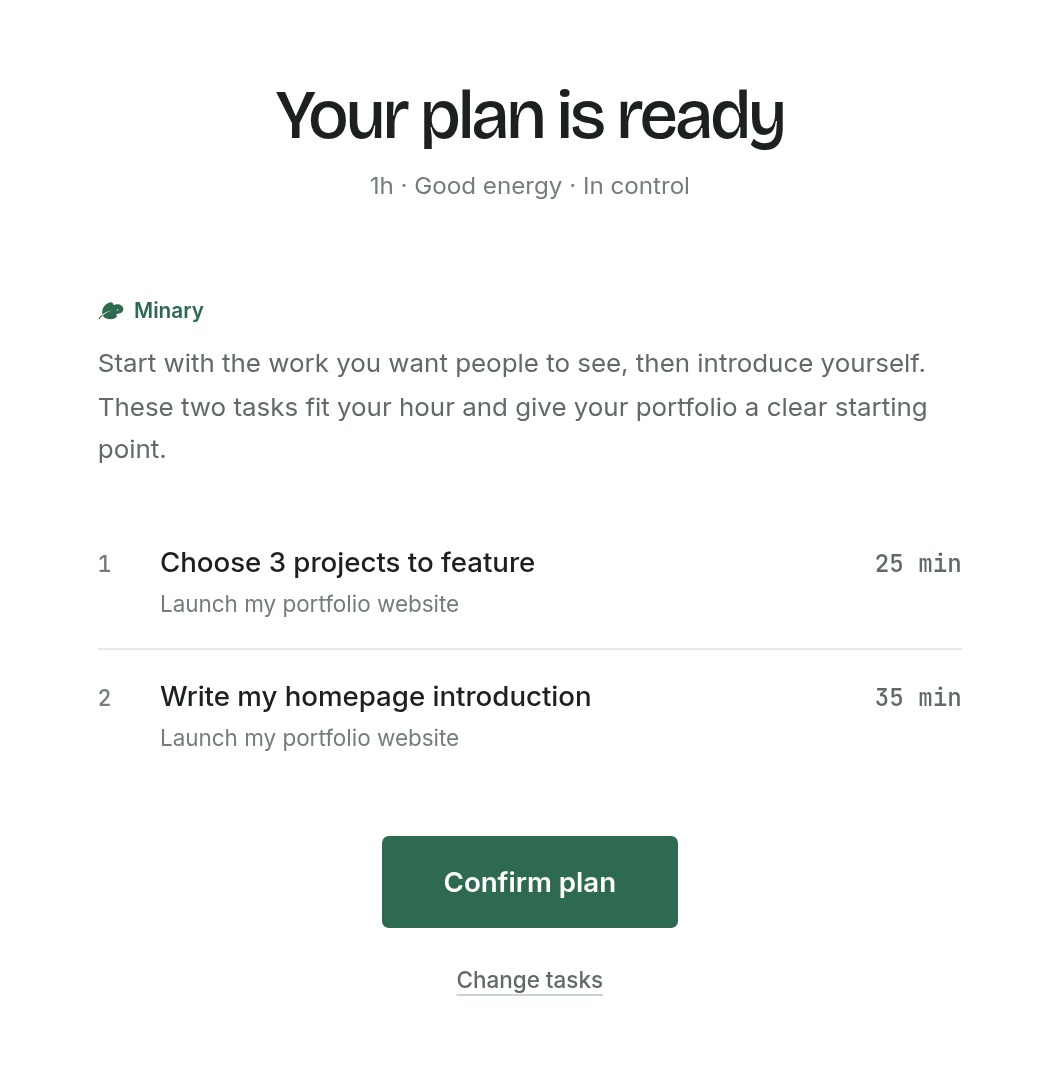
Tell Minary how much time you have, your energy level and how in control you feel. It suggests which tasks to work on and how long to spend on each, taking your projects and deadlines into account.
Review the plan. Make it yours. Start.
03 / Our vision
A planner that grows with you.
Your best hours. The work that drains you. The pace you can sustain.
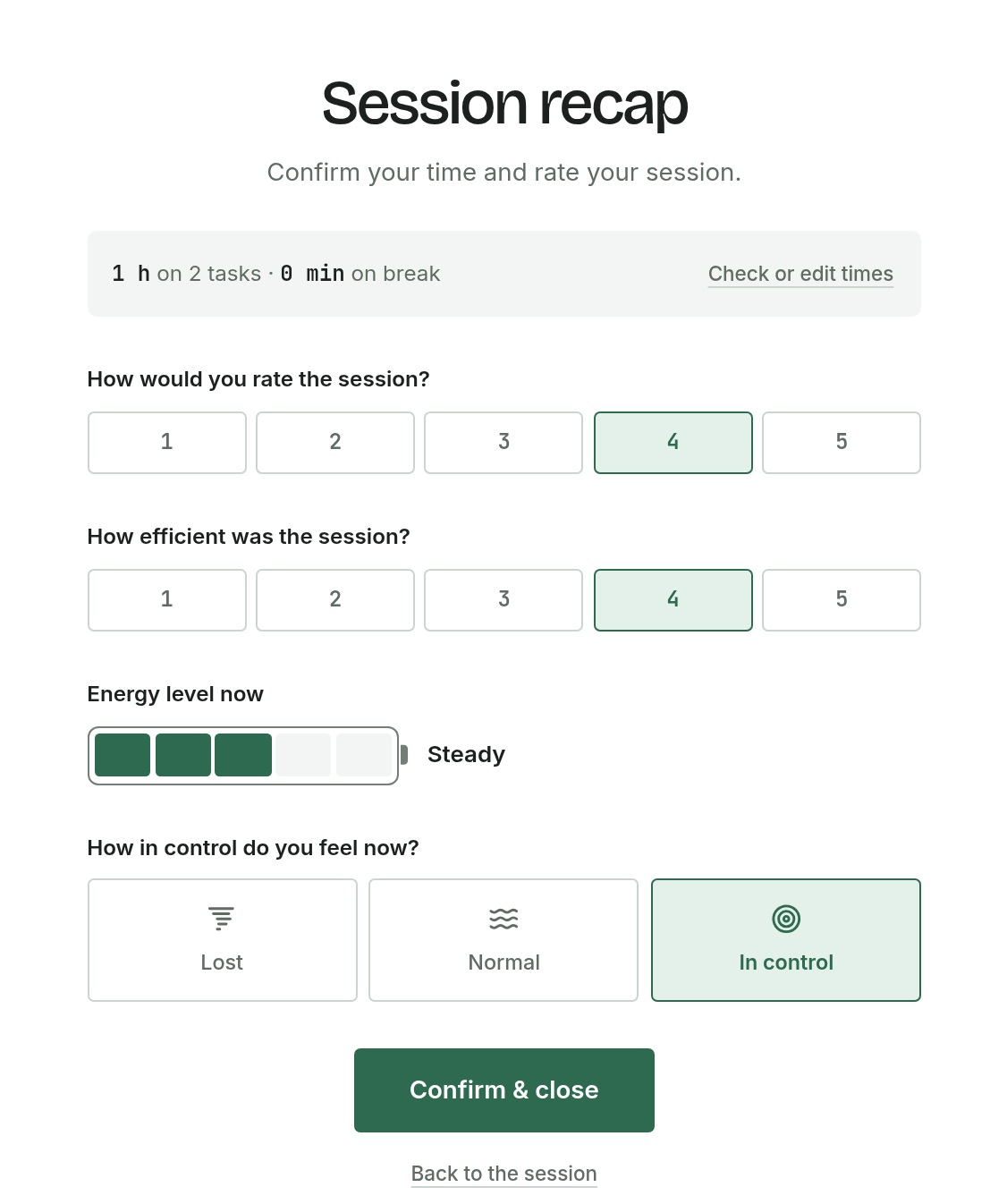
Our vision is for Minary to recognise these patterns and offer increasingly personal guidance. Session feedback is the starting point.
For people wearing all the hats.
For freelancers, artists, content creators, students and independent founders juggling projects of their own.
Client work
Turn briefs, deliverables and deadlines into a clear plan.
Creative work
Plan your next video, collection or exhibition, from first idea to release.
Study & research
Break a thesis or research project into manageable steps.
Personal projects
Move your portfolio, newsletter or business idea forward.
Yes. The beta is free to use. We’re opening Minary to more people, and your feedback will help us improve it.
How does Minary choose tasks for a session?
Minary uses your available time, energy and sense of control, alongside your projects and deadlines, to suggest tasks and how long to spend on each. You review the plan before starting.
Can I change the plan or work without AI?
Yes. You can edit projects and tasks, adjust a suggested plan or choose tasks yourself. You decide what to work on.
What happens after a session?
Review the time spent, update your tasks and rate how the session went. Your progress and feedback are saved in your session history.
Can I use Minary on my phone?
Yes. You can use Minary in your browser on desktop and mobile. A dedicated mobile app is coming soon.
What do you want to work on next?
Start with one project. Minary will help you break it down.